A preview of the Duo-compatible update
Olevo on iPhone Duo.
The same calm second opinion. More room to compare.
Review a suspicious message, call, screenshot, or letter on iPhone Duo. On a wide inner display, compare an image with its extracted text before a Private Check.

Duo support arrives with the matching app update.
Inside the app, step by step
Follow a check on iPhone Duo.
Start at Home, choose a screenshot or photo, and follow the check through to a safer next step. These native app captures show the open inner display in portrait and the wider comparison in landscape, using fictional sample content. Open any image to see the screen at full size.
01
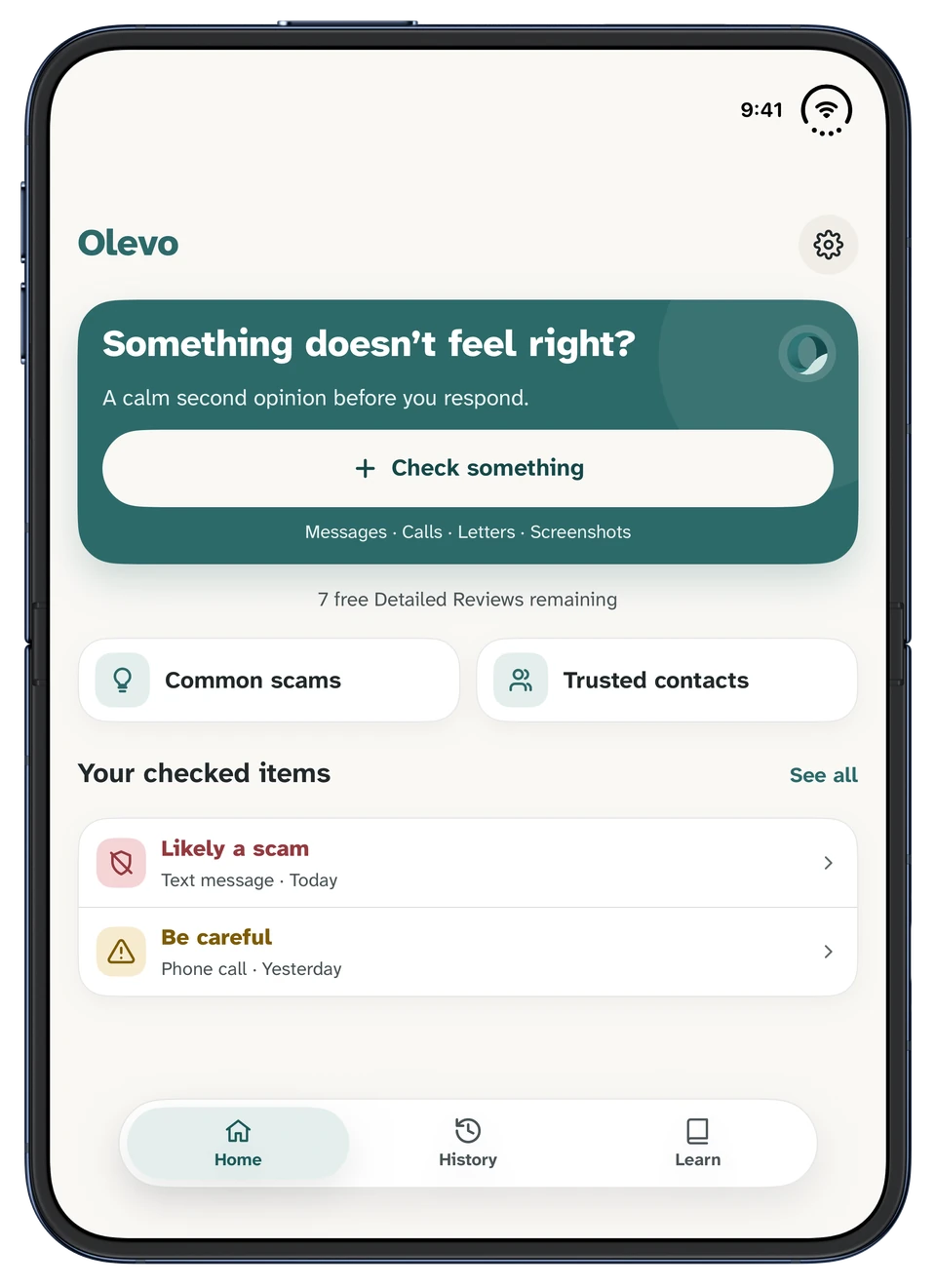
Start from Home
Tap Check something to begin. On the open inner display, Home shows the main check button, common scams, trusted contacts, and your recent checked items. Home, History, and Learn stay in the bottom navigation.
Open inner display · PortraitView full size 02
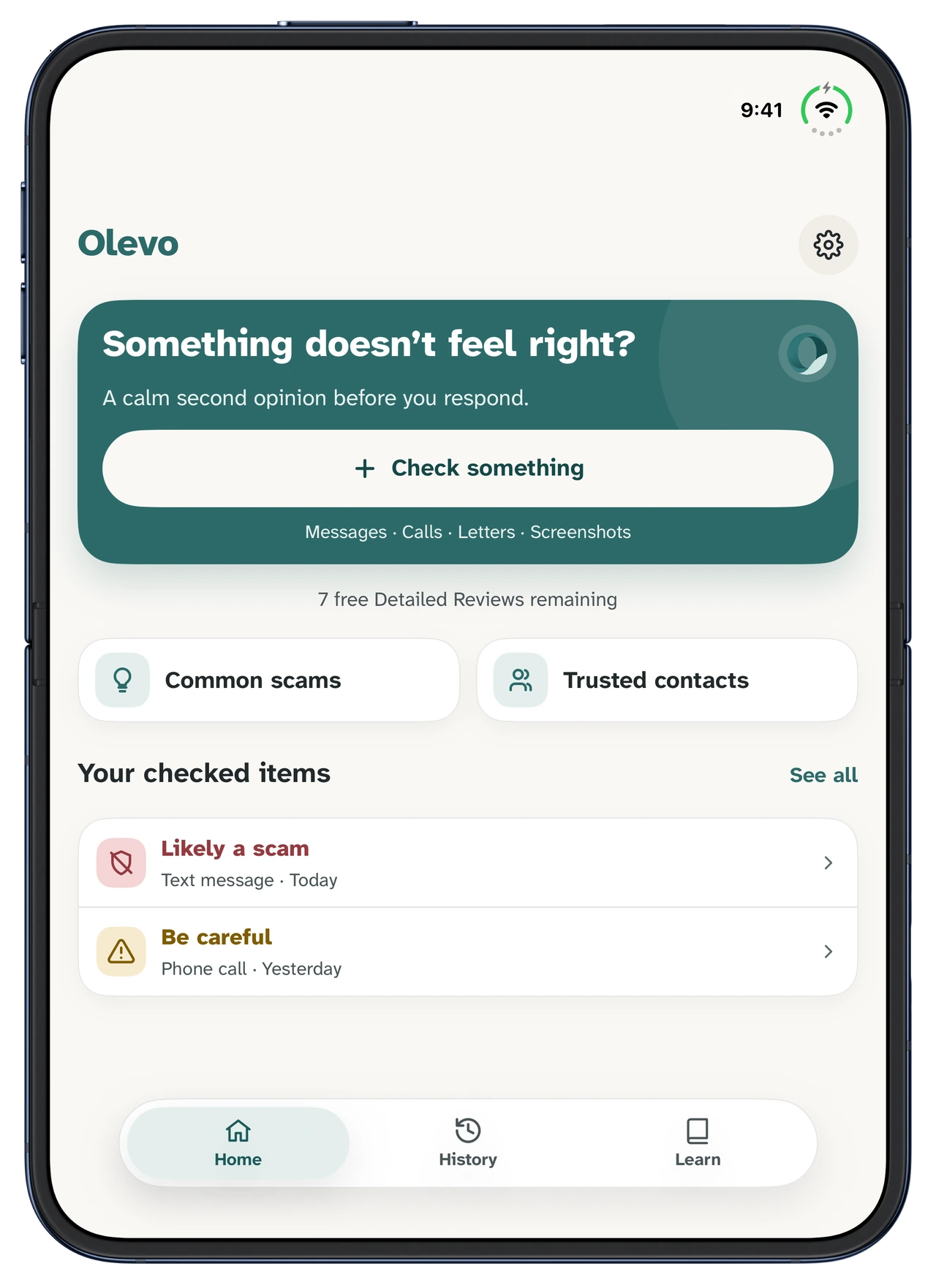
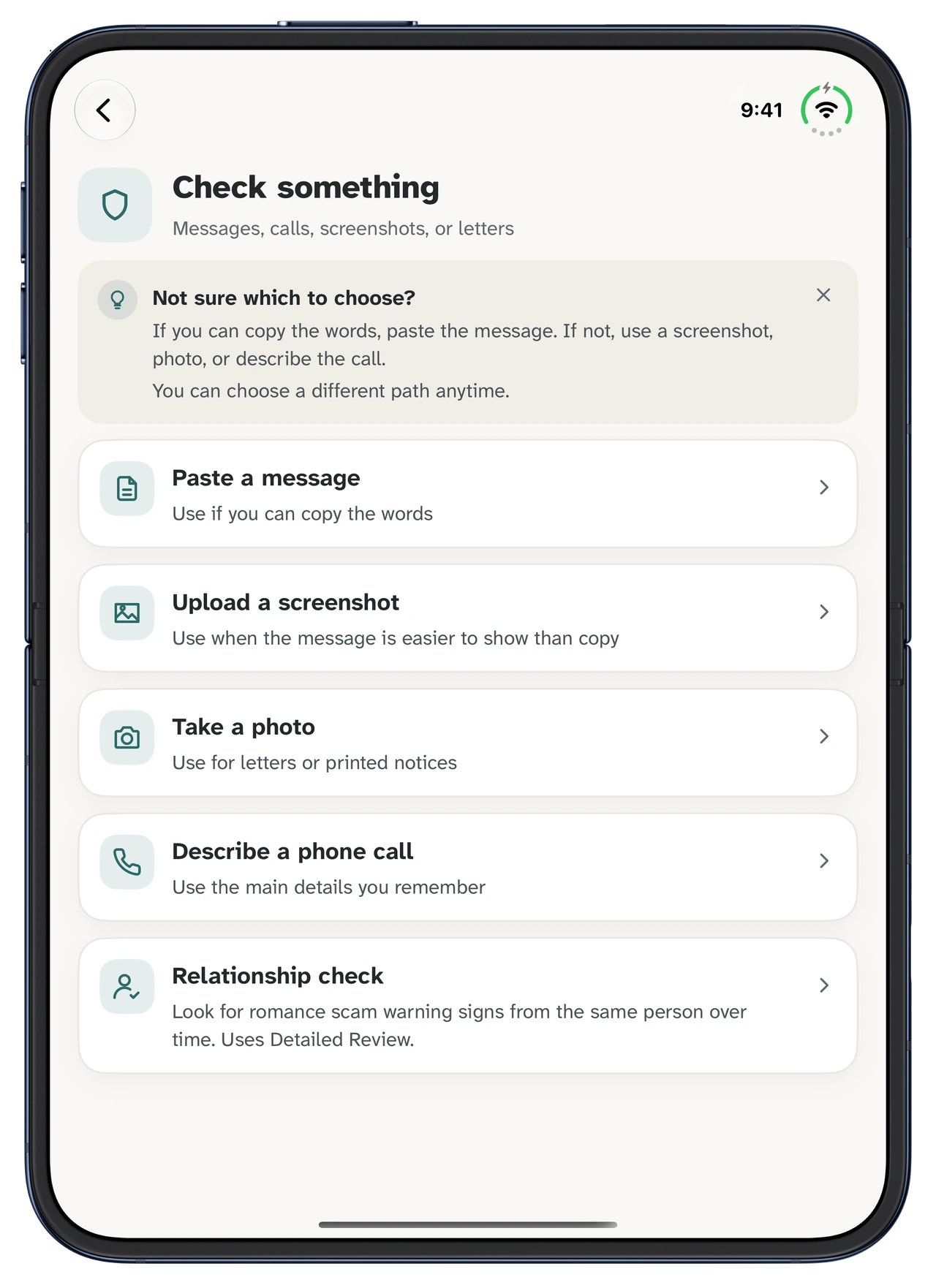
Choose what you want to check
Choose Paste a message, Upload a screenshot, Take a photo, or Describe a phone call. The choices stay in one scrolling list. The two image paths below show what happens after you select a screenshot or a photo.
Open inner display · PortraitView full size 03 · Image check
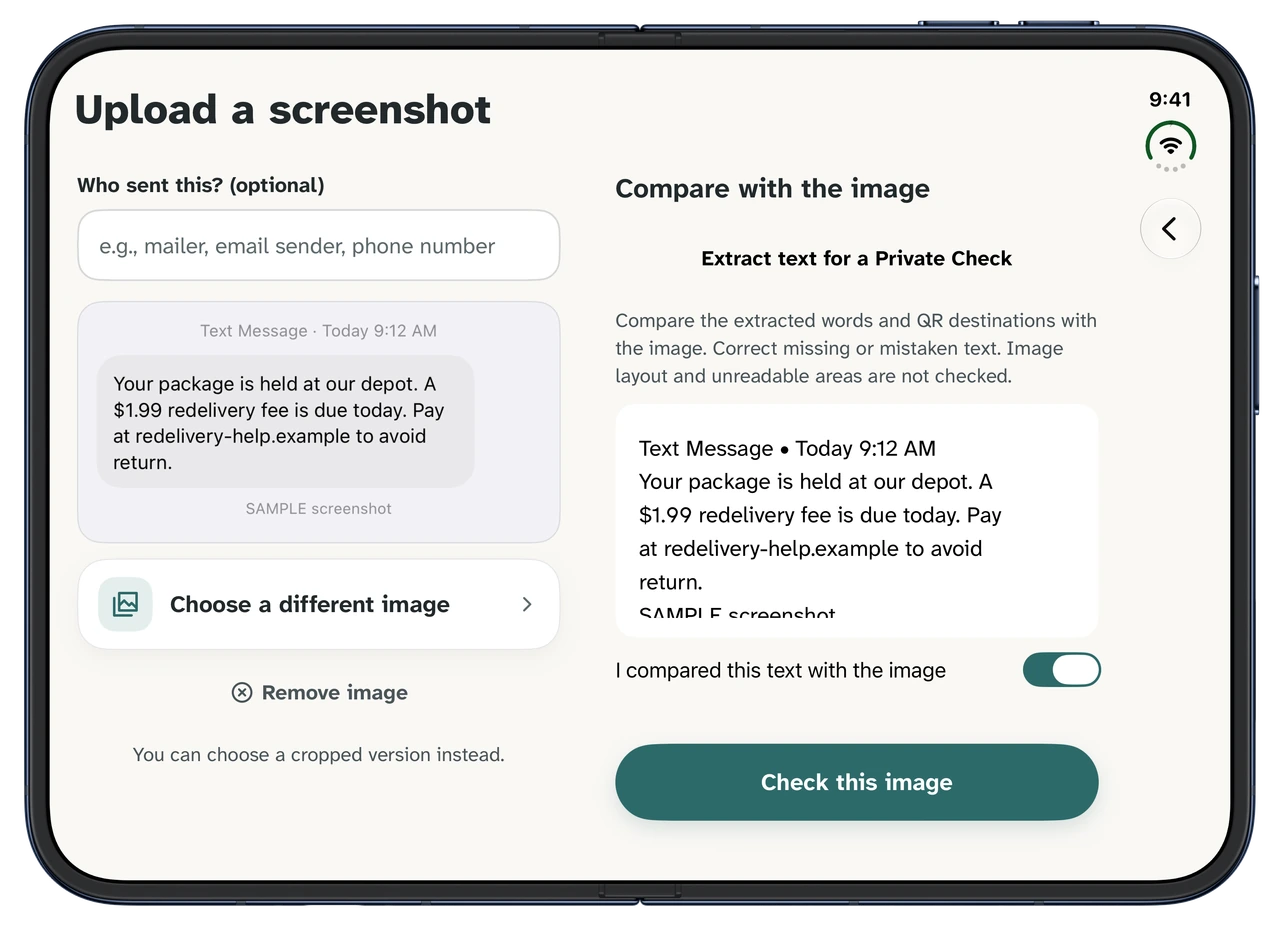
Upload a screenshot: compare its text
Choose a screenshot, then open Duo wide in landscape. The image stays on the left. Tap Extract text for a Private Check to read its words on your device. Correct the text on the right and confirm it matches the image, then continue with Check this image.
The comparison needs iOS 27.1 or later and enough space on the open display. At the default display size, portrait uses the stacked layout; landscape provides the wider comparison shown here. Narrow windows, larger accessibility text, and Relationship image checks also use the stacked layout.
Extraction happens on your device. A Detailed Review is a separate choice. Privacy details.
Open inner display · LandscapeView full size 03 · Image check
Take a photo: compare the notice
Use Take a photo for a letter or printed notice, then take or choose your image. On a sufficiently wide open display, the photo and sender details stay on the left while extracted text appears on the right. Check and correct the words, confirm the comparison, and continue.
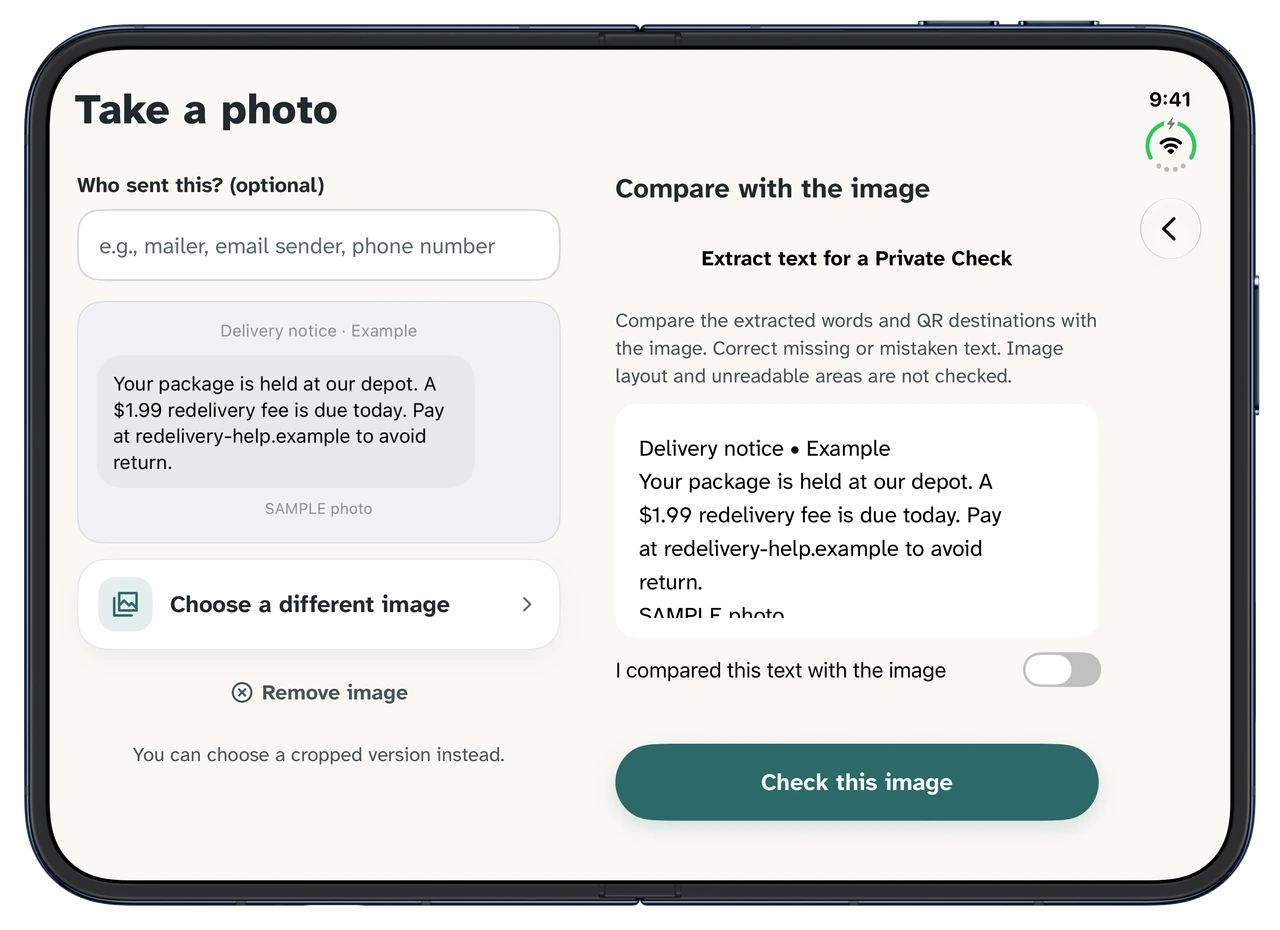
Open inner display · LandscapeView full size 04
Read the review result
Choose the review path before checking. This example shows a Detailed Review: the result, review type, practical next steps, and reasons appear in one scrolling view. Tap Verify safely to continue. Treat the result as guidance and verify through a contact method you already trust.
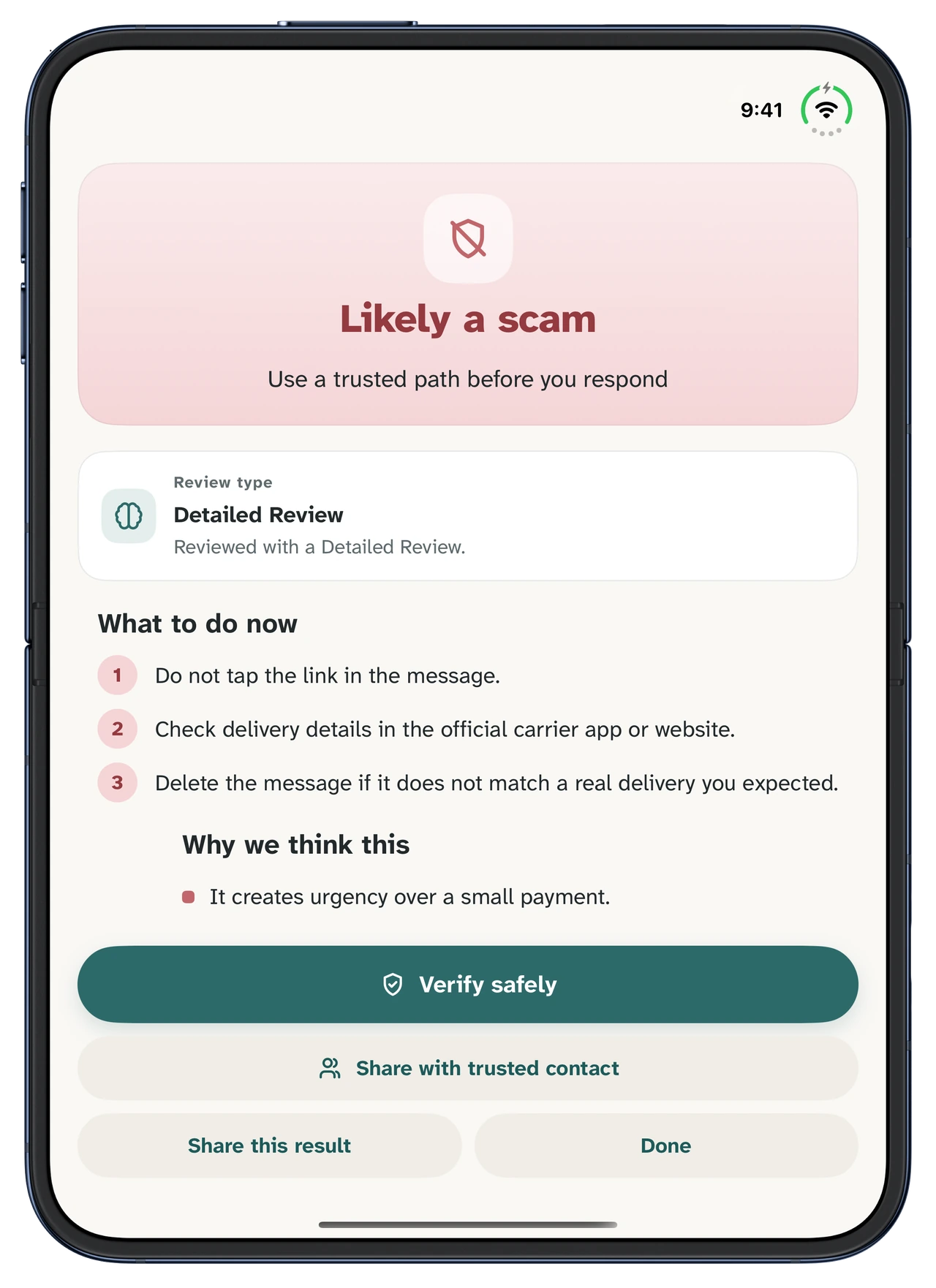
Open inner display · PortraitView full size 05
Open Verify safely
Verify safely turns the result into actions you can take before responding. For this fictional delivery message, use the official website yourself and avoid entering details through the message link. You can share the result with someone you trust, or tap Done when you finish.
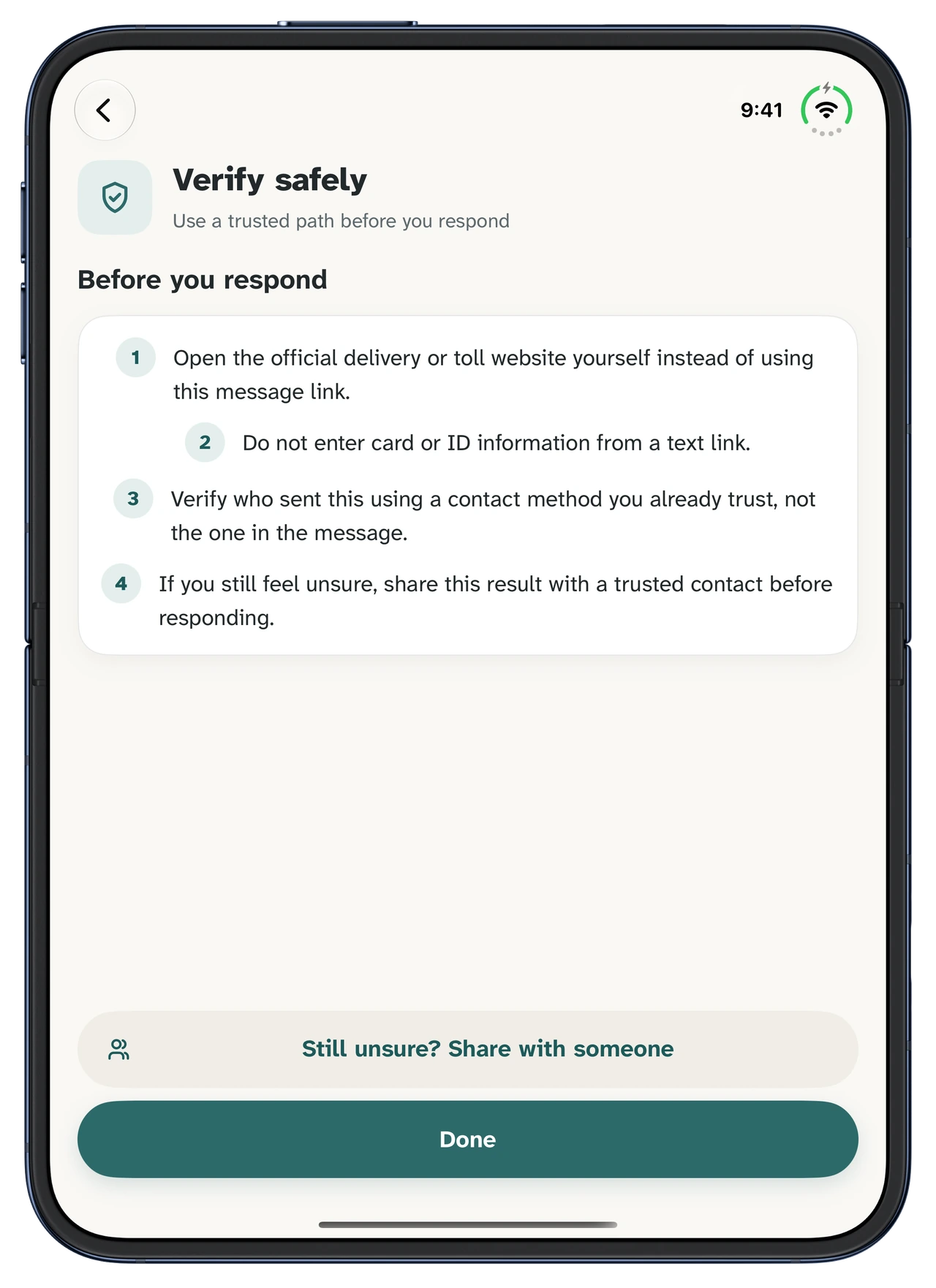
Open inner display · PortraitView full size 06
Explore Learn when you're ready
After the check, open Learn from the bottom navigation. Common scam examples include short practice questions. Choose an answer to see an explanation, then scroll to explore other examples. The open display gives the question and answer more room, with no score and no pressure.
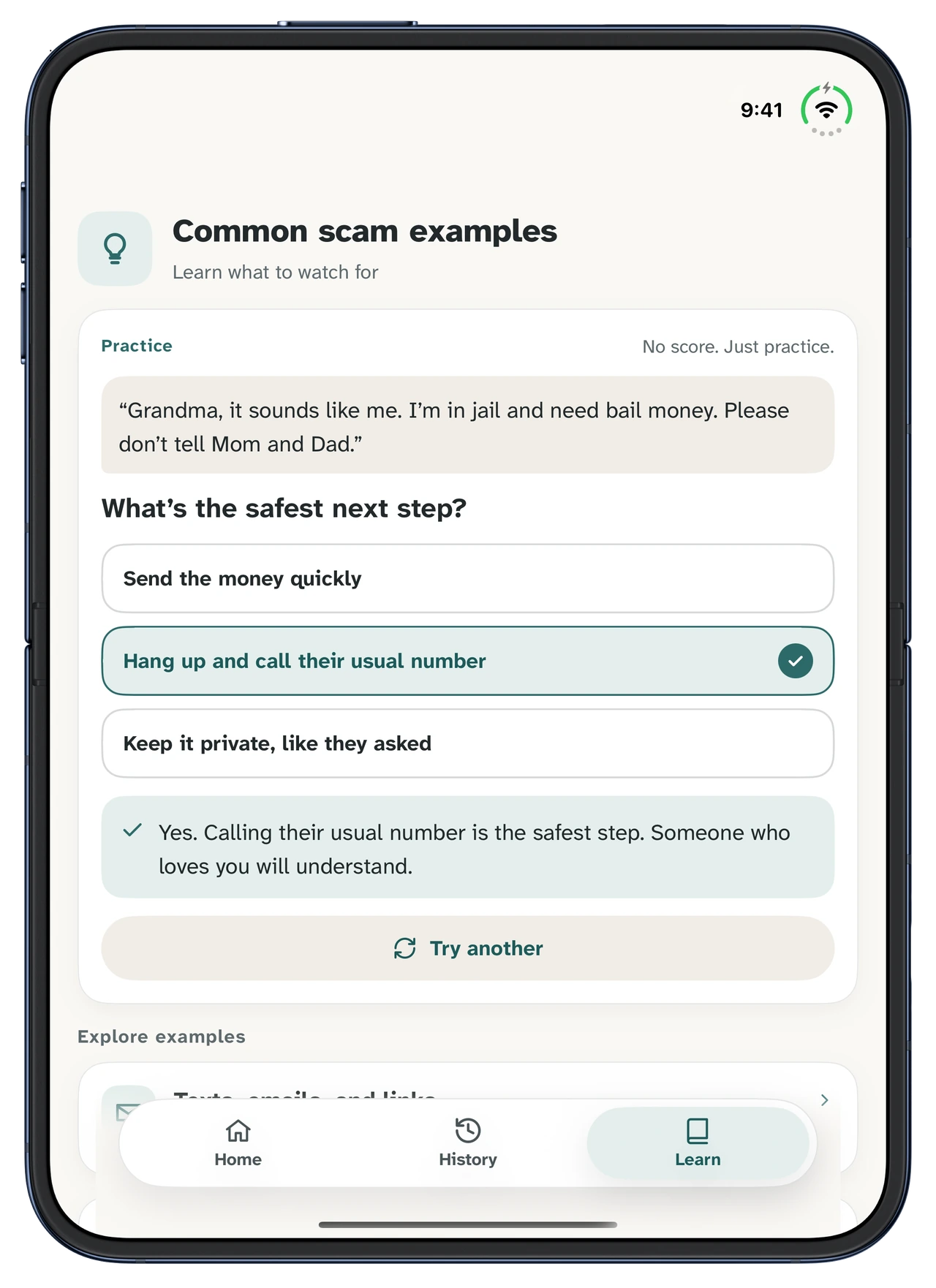
Open inner display · PortraitView full size


A few questions about Duo support.
What changes on iPhone Duo?
Olevo keeps Home, History, and Learn. On a wide open inner display, a selected screenshot or photo can sit beside its extracted text, so you can compare the two before a Private Check. Narrow layouts keep the image and text in a single scrolling flow.
When does the comparison view appear?
The comparison view needs iOS 27.1 or later, a selected image, and enough space on the open display. At the default display size, use landscape for the wider comparison. Portrait, larger accessibility text, narrow windows, and Relationship image checks use the stacked layout.
Does extracting text send my image for a Detailed Review?
No. Text extraction happens on your device. You compare the extracted text with the image and confirm it before a Private Check. A Detailed Review is a separate choice. Changing the display layout does not start a review or change your consent and saving choices.
Do I need a different app for iPhone Duo?
No. iPhone Duo support is part of the same Olevo iPhone app. Use the Duo-compatible update when it is released on the App Store. The images on this page preview that update and use fictional examples, rather than showing private messages from real users.
Something doesn't feel right?
Get a calm second opinion before you respond. Olevo is the same iPhone app, with Duo support in the matching update.