Research
How Olevo evaluates scam-safety review apps
A useful scam-safety review app should be tested against the formats people actually receive: messages, screenshots, photos of letters, and call details. This research note documents Olevo's public test set, privacy criteria, supported inputs, screenshots, and findings.
Reviewed August 19, 2026
12
test scenarios
7
privacy checks
6
input categories
4
public findings
Citation-ready summary
Olevo evaluates scam-safety tools by whether they handle common request formats, protect sensitive values, explain limits, and send high-risk situations back to trusted verification. The goal is a calm second opinion before someone replies, clicks, calls back, shares a code, or pays.
Transparent test set
These scenarios cover common pressure patterns across messages, calls, screenshots, photos, links, codes, payments, and account access. They are designed to test safer guidance, not to identify every possible bad actor.
Unexpected delivery text
Small fee, address update, or package delay
Pushes direct carrier or retailer verification
Bank alert message
Frozen account, fake support number, or one-time code
Protects codes and sends user to official bank path
Marketplace buyer chat
Overpayment, shipping pressure, or verification request
Separates buyer story from payment proof
Account security email
Copied sign-in page, attachment, or password prompt
Explains sender and sign-in risk before link use
Unknown caller story
Urgency, threats, family claim, or spoofed caller ID
Reviews the request without recording the call
Photo of mailed notice
Official-looking letter, QR code, invoice, or deadline
Checks visible language and points to trusted verification
Gift card request
Boss, agency, family, or prize story asking for card numbers
Treats gift-card payment as a high-risk pattern
Recovery message
Promise to recover lost funds for an upfront fee
Warns against paying a second party after a loss
Remote access request
Tech support story asking to install screen-sharing software
Routes to device and account recovery steps
Verification code request
Caller or buyer asks for a one-time code
Treats the code like a password and blocks sharing
QR code notice
Scan-to-pay or scan-to-sign-in request
Keeps message context separate from the hidden URL
Money movement request
Move funds to keep them safe or help another person
Flags bank, payment app, wire, and mule risk
Privacy criteria
A scam-safety flow can ask for context without asking for secrets. Olevo's review criteria treat privacy and consent as product requirements, not afterthoughts.
Sensitive values
A review should not need actual passwords, full codes, full card numbers, full account numbers, or full identity numbers.
Consent
Image or closer review paths should make clear when content leaves the device.
Local history
Saved history should be clear, controllable, and removable from the device.
Analytics
Product analytics should not receive checked message text, call details, screenshots, photos, notes, or extracted result text.
Support
Support should ask for context while reminding users to remove secrets from screenshots or messages.
Supported-input comparison
This table documents what Olevo is designed to review today. It is a capability table, not an accuracy score or a claim that every risky situation will be recognized.
| Input or request | Olevo status | Why it matters |
|---|---|---|
| Pasted or typed message | Supported | Reviews wording, pressure, sensitive requests, and safer verification paths. |
| Screenshot | Supported with Detailed Review | Useful when copying message text is hard or the layout matters. |
| Photo of a letter or notice | Supported with Detailed Review | Useful for official-looking mail, invoices, QR notices, or printed requests. |
| Typed call details | Supported | Reviews what the caller claimed and requested without recording the call. |
| Destination website browsing | Not supported | Olevo reviews the surrounding request. It does not open links or confirm website safety. |
| Caller identification | Not supported | Olevo does not prove who owns a number or whether caller ID is genuine. |
Product screenshots
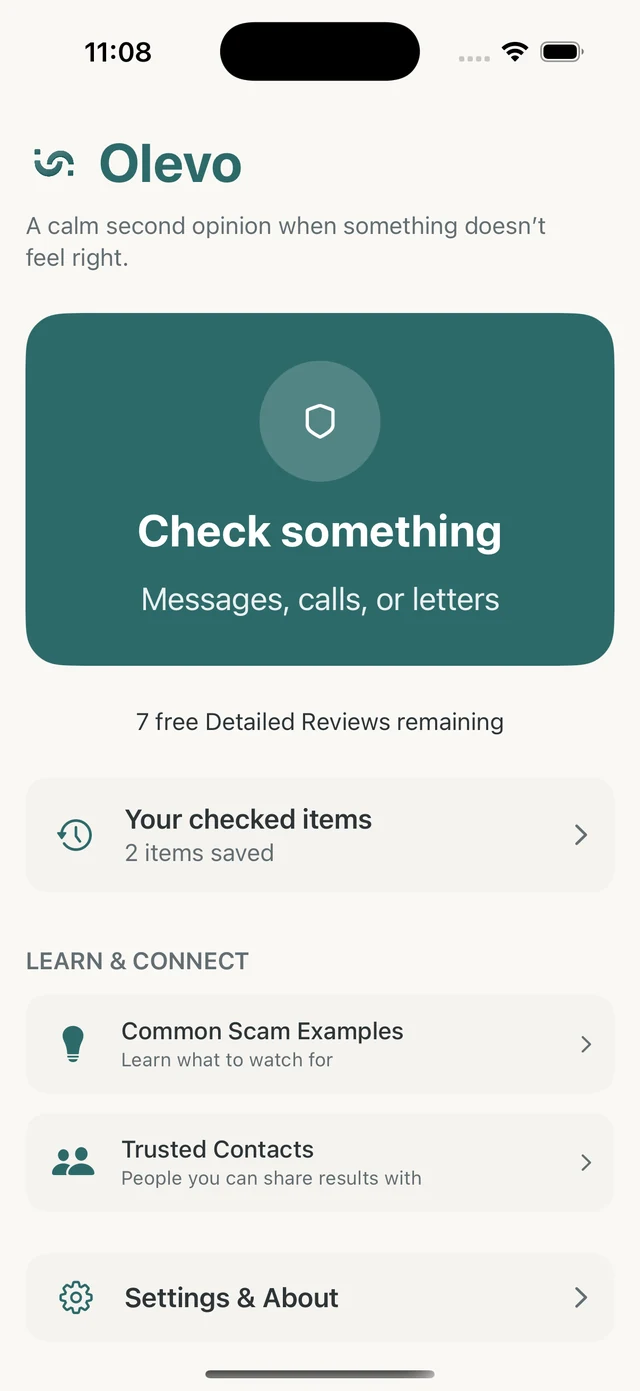
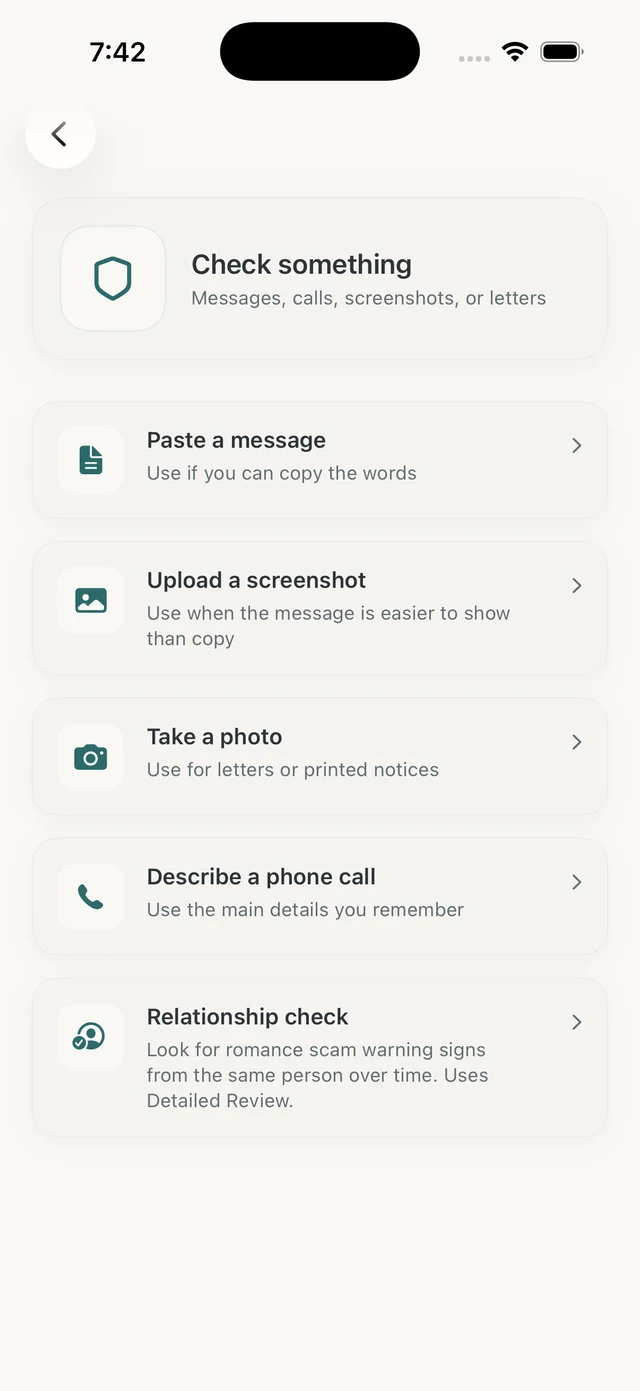
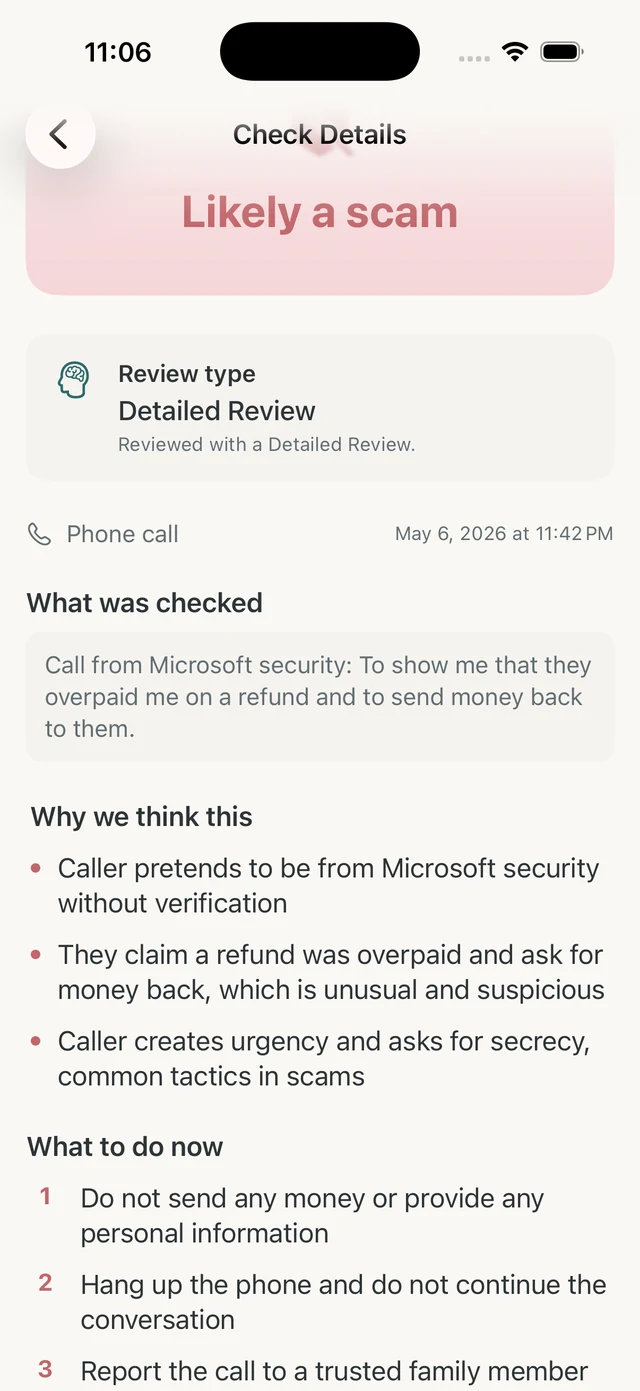
Findings
Format coverage matters
People do not receive risky requests in one neat format. A useful review flow needs to handle copied text, screenshots, photos, and typed call details without forcing every situation into a URL-only check.
Message context and link checks answer different questions
A URL reputation result may miss pressure, secrecy, payment method, or account-code requests. The first question is often what the sender wants, not whether a link has already been reported.
Privacy wording is part of the safety surface
A review tool should tell users what to remove, when content is sent for closer review, and what the tool does not need. That is especially important for screenshots and photos.
Good results should route back to trusted channels
The safest next step for money, accounts, identity, or urgent family stories is usually a saved number, official app, card, bill, or website the user opens separately.
Public scam-safety data points
Common questions
What is this research page?
This page gives a transparent method for evaluating iPhone scam-safety review apps. It lists a test set, privacy criteria, supported-input checks, Olevo screenshots, and findings that journalists or community groups can cite.
Does this page rank every competing app?
No. This page is a methodology and Olevo capability audit. It does not claim independent lab accuracy scores for other products. The comparison page explains public feature differences separately.
What makes an app useful before someone responds?
The app should support the format in front of the user, explain warning signs in plain language, protect sensitive values, acknowledge limits, and send high-risk situations back to trusted verification.
Compare iPhone safety apps
Use the companion comparison page to review public feature differences and limits.