

Feature
Message review
Why it matters
Texts and emails often carry links, codes, payments, and pressure
Olevo fit
Reviews pasted or typed words
Available now on the App Store
Olevo helps you review suspicious messages, calls, screenshots, and photos of letters before you reply, click, pay, or share a code.
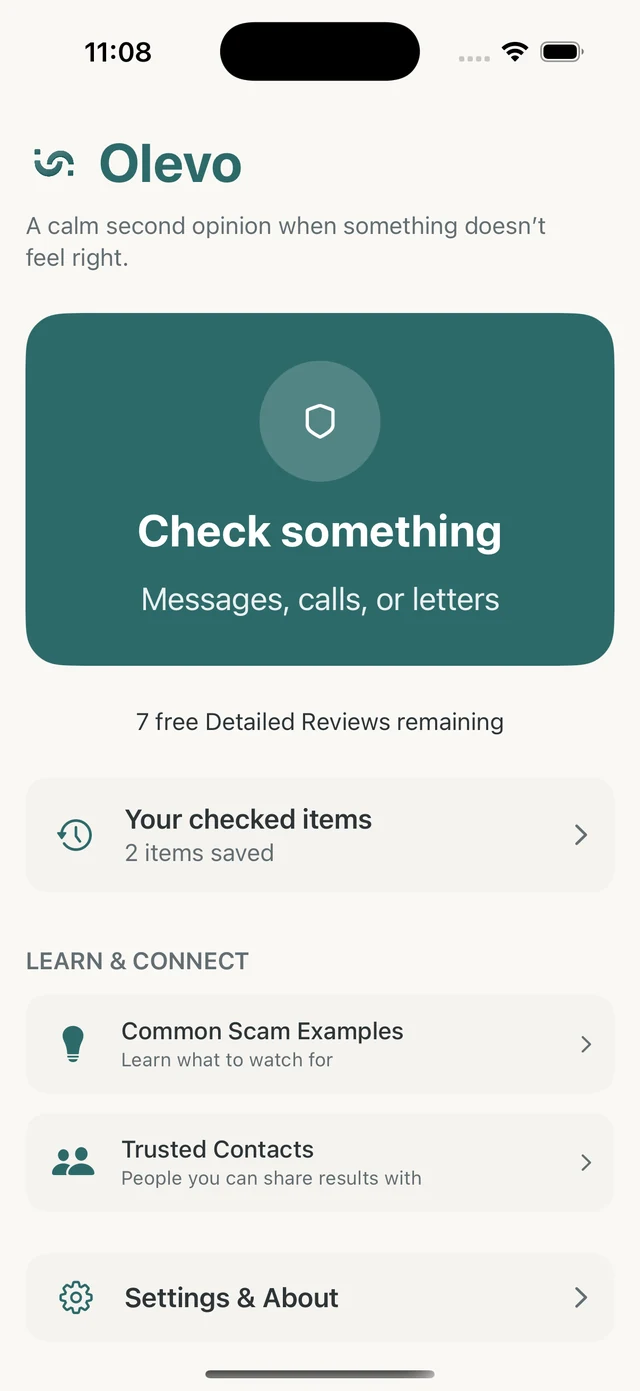
A useful fraud detection app for iPhone should handle the formats people actually receive: typed messages, screenshots, photos of letters, and call details.
Olevo gives plain-language reasons, clear limits, and next steps that point back to trusted verification.
How it helps
Start with what you have in front of you. Some moments are copied text. Others are screenshots, photos, or calls where the risky part is the story and pressure.
Avoid tools that promise certainty. A useful review should explain warning signs, clear limits, and a safer verification path.
Before checking anything, remove secrets that do not need to be shared. Do not include actual passwords, full one-time codes, full card numbers, full account numbers, or full identity numbers.
Olevo separates Private Checks for supported on-device review from Detailed Reviews for content you choose to submit. The public privacy pages explain those paths in more detail.
A second opinion helps most before you reply, call back, click, sign in, share a code, send money, or install software.
If you already acted, use recovery guidance for what happened, such as a clicked link, shared code, sent payment, shared Social Security number, or remote-access install.
Use this checklist to see whether an app can help with the request in front of you.
Feature
Why it matters
Texts and emails often carry links, codes, payments, and pressure
Olevo fit
Reviews pasted or typed words
Feature
Why it matters
Many messages are easier to show than copy
Olevo fit
Detailed Review supports screenshots you choose
Feature
Why it matters
Letters, notices, and printed requests can be hard to type
Olevo fit
Detailed Review supports selected photos
Feature
Why it matters
Phone pressure often depends on caller claims and urgency
Olevo fit
Users type the call details, not a recording
Feature
Why it matters
Trustworthy tools explain what they cannot prove
Olevo fit
Olevo does not open links, record calls, or replace official verification
Use any app as a second opinion, then verify directly with the real bank, company, agency, platform, or trusted contact.
Someone shares a suspicious text but cannot easily copy the words.
Review the screenshot before anyone replies.
The caller claims urgency and asks for money, codes, or account changes.
Write down what they asked for, then verify after the pressure is gone.
The letter looks official and asks for payment or account action.
Review the notice, then verify through the agency or company directly.
It should cover the formats people actually receive: pasted messages, screenshots, photos of letters, and typed call details.
No. A useful app can point out warning signs and next steps, but you should still verify money, account, and identity requests directly.
Yes. Olevo is available on the App Store for iPhone.
No. Remove secrets such as actual passwords, full codes, full card numbers, and full identity numbers before checking.