
Available now on the App Store
Something doesn't feel right.
Olevo is a calm second opinion before you respond.

Check suspicious messages, calls, screenshots, or letters. Private Checks stay on device for supported text and calls, while Detailed Reviews look closer when you choose them. Relationship checks help you review one person’s communication for romance scam warning signs over time.
How It Works
Here's how Olevo works
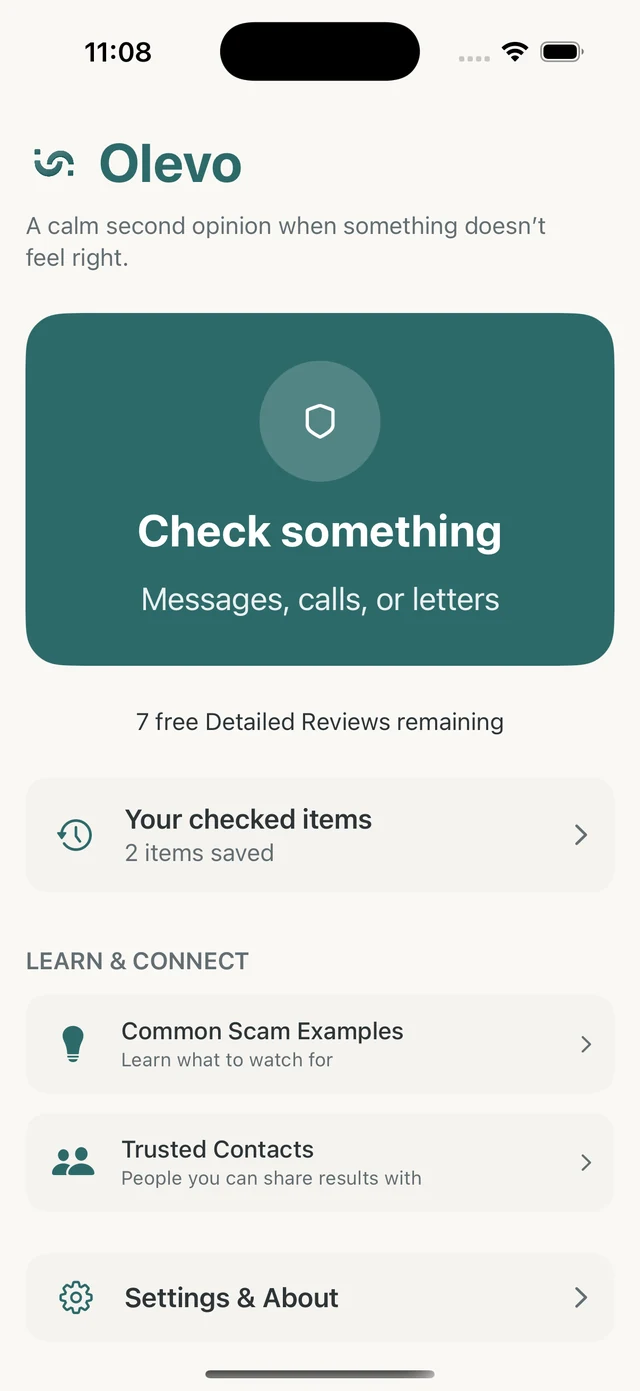
Start from the home screen and tap Check something to paste a message, upload a screenshot, photograph a letter, or describe a phone call.
Use Private Check for pasted text and described calls when you want a quick review that stays on device.
Choose Detailed Review when you want a closer look or image review. For communication from the same person over time, choose Relationship check. It uses Detailed Review and includes earlier saved text after the app explains what will be sent.
Review the answer, reasons, and next steps, then keep the checked item on device or share it with someone you trust.
Reviewing communication from the same person? Read how Relationship checks use earlier saved text and what you choose to share.
Inputs
What you can check
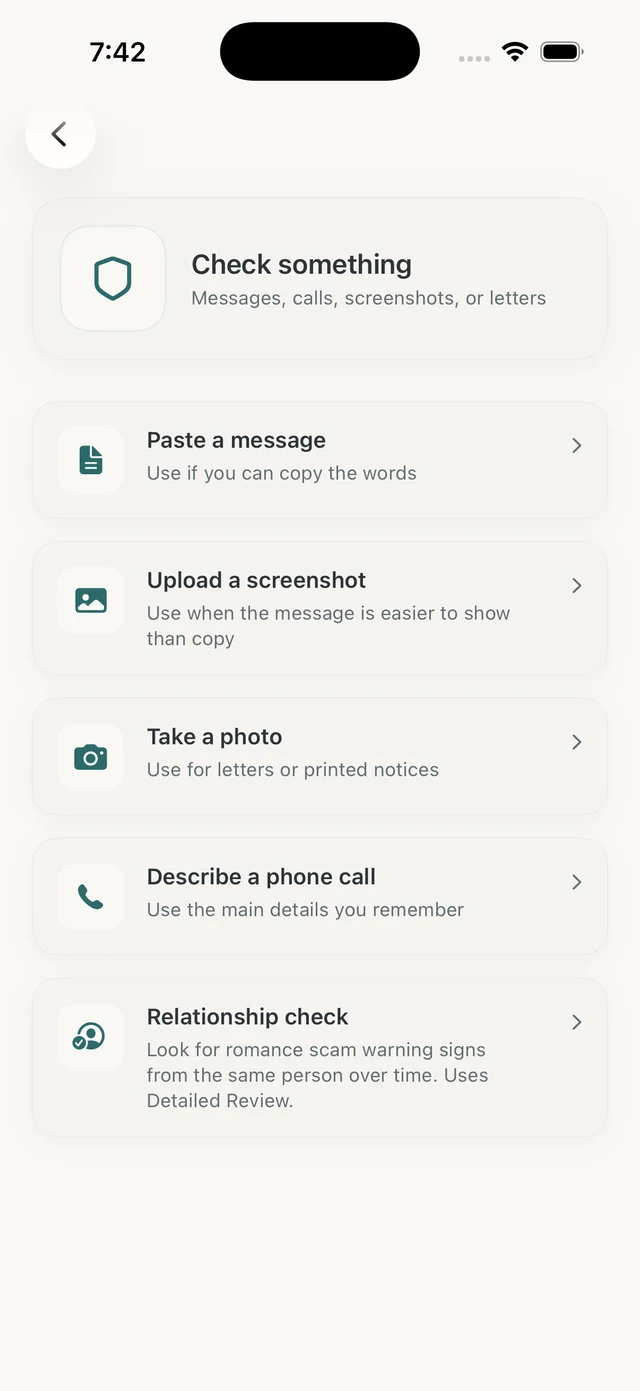
The app lets you bring the content to Olevo yourself: paste the text, upload the screenshot, photograph the letter, or describe the call in your own words. Choose Relationship check to review communication from the same person as the conversation continues.
Paste a message
Copy and paste text from an email, text, or message
Upload a screenshot
Share a screenshot of a suspicious message
Take a photo
Photograph a letter or printed document
Describe a phone call
Tell Olevo about who called and what they wanted
Relationship check
Look for romance scam warning signs from the same person over time
Inside The App
What you get back
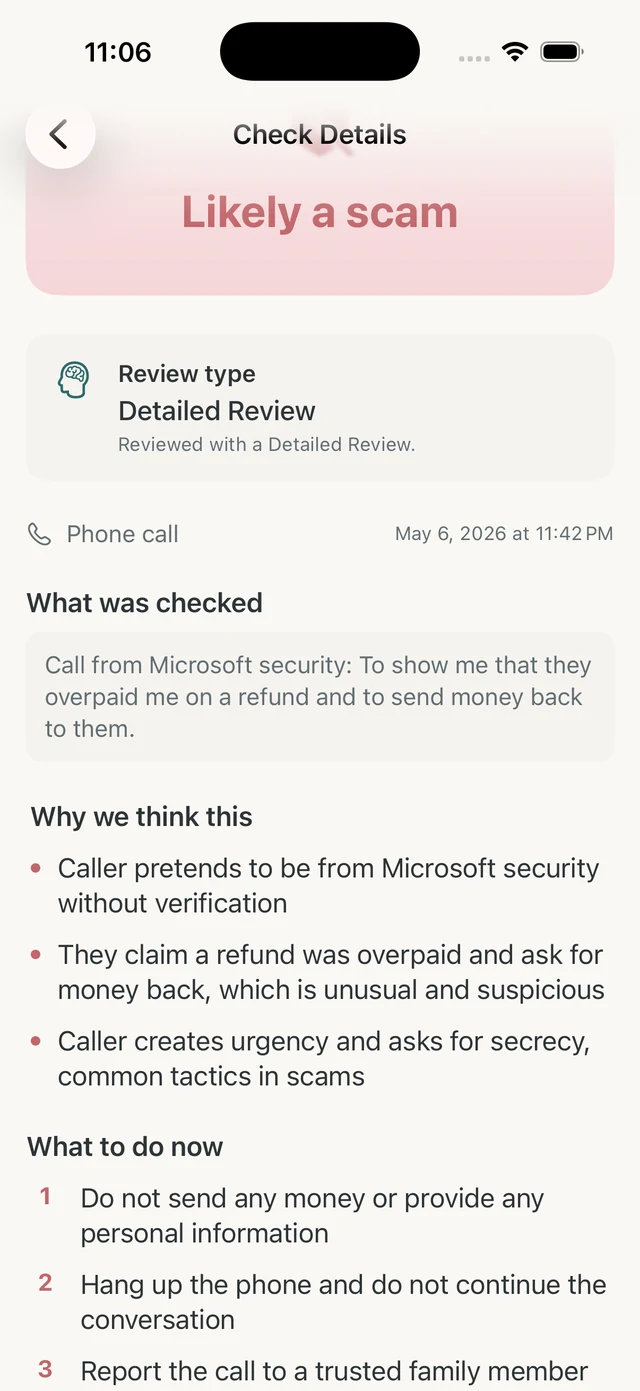
Olevo starts with a clear answer, then shows what was checked, why it raised concern, and what to do next.
Plain-language reasons
Every result includes the warning signs that raised concern, written in calm, simple language.
Shareable next steps
Olevo tells you what to do now, and you can share the result with trusted contacts right from the app.
Private or Detailed review type
Each result makes it clear whether the app used an on-device Private Check or a secure Detailed Review.
Saved checked items
Review past checks, add notes, and enable auto-delete. Relationship checks group one person’s communication in History so you can return and add another item.
Examples
Real examples, explained plainly
Olevo shows the message, what stood out, and a calmer way to think about the next step.
"You owe back taxes and a warrant has been issued for your arrest. Call immediately to avoid prosecution."
It threatens arrest and asks you to call immediately.
Real tax agencies do not handle payment this way. Use an official number if you need to check.
"We've detected a virus on your computer. Call this number immediately for Microsoft support."
It claims there is a virus and sends you to a phone number.
Large tech companies do not call out of the blue about a virus on your computer.
"Grandma, I'm in trouble and need money right away. Please don't tell Mom and Dad."
It asks for secrecy and money right away.
Call your grandchild or another family member using a number you already know.
"Congratulations! You've won $500,000. Pay the $50 processing fee to claim your prize."
It asks for a fee before you can receive the prize.
A real prize does not require a processing fee before you can claim it.
"I love you so much. I just need a little help with a plane ticket so we can finally meet."
The relationship is used to ask for travel money.
Money requests from someone you have not met in person are worth checking with someone you trust.
"Your account has been compromised. Click here to verify your identity and secure your account."
It asks you to use a message link to verify your identity.
Open your banking app or call the number on your card instead.
"Your package could not be delivered. Click here to update your address and pay the redelivery fee."
It asks for a small redelivery fee from a message link.
Go to the carrier's site or app yourself if you are expecting a package.
Ready to check a suspicious message?
Download Olevo on iPhone.
Privacy
Your check should stay yours.
We keep the privacy model simple. Private Checks for supported text and calls stay on your device.
When you choose a Detailed Review, Olevo asks first before sending the content you submit for review. Relationship checks also send earlier saved text for the person you select to OpenAI, alongside the new item.
Your history, notes, and trusted contacts are stored on your device. When you choose a relationship review, relevant saved text is also sent for that review. We do not sell your information.
Olevo is a second opinion, not an oracle.
Pricing
Detailed Reviews when you want a closer look.
Free
7 free Detailed Reviews
When you want a closer look.
Premium
$4.99/month
More Detailed Reviews each month.
Available now on the App Store.
Each Relationship check uses one Detailed Review from your existing allowance and requires saved history and internet. Private Checks remain available without a subscription for supported text and call inputs.
Practical guides
Find a next step for your situation
Before opening a link
Check the message and find an independent way to verify the request.
Already clicked?
Choose your next steps based on what you opened, entered, or downloaded.
An unfamiliar number called
Understand caller ID limits and verify who contacted you.
Make a family safety plan
Agree on a pause rule, trusted contacts, and a way to check urgent requests.
FAQ