

Question
Who might this number belong to?
Number lookup
May show public reports or labels
Call-detail review
Does not identify the owner
Available now on the App Store
During or after a call, write down who they said they were, what they wanted, and the phone number if you have it. Olevo can help you pause before you respond, pay, share a code, or call back.
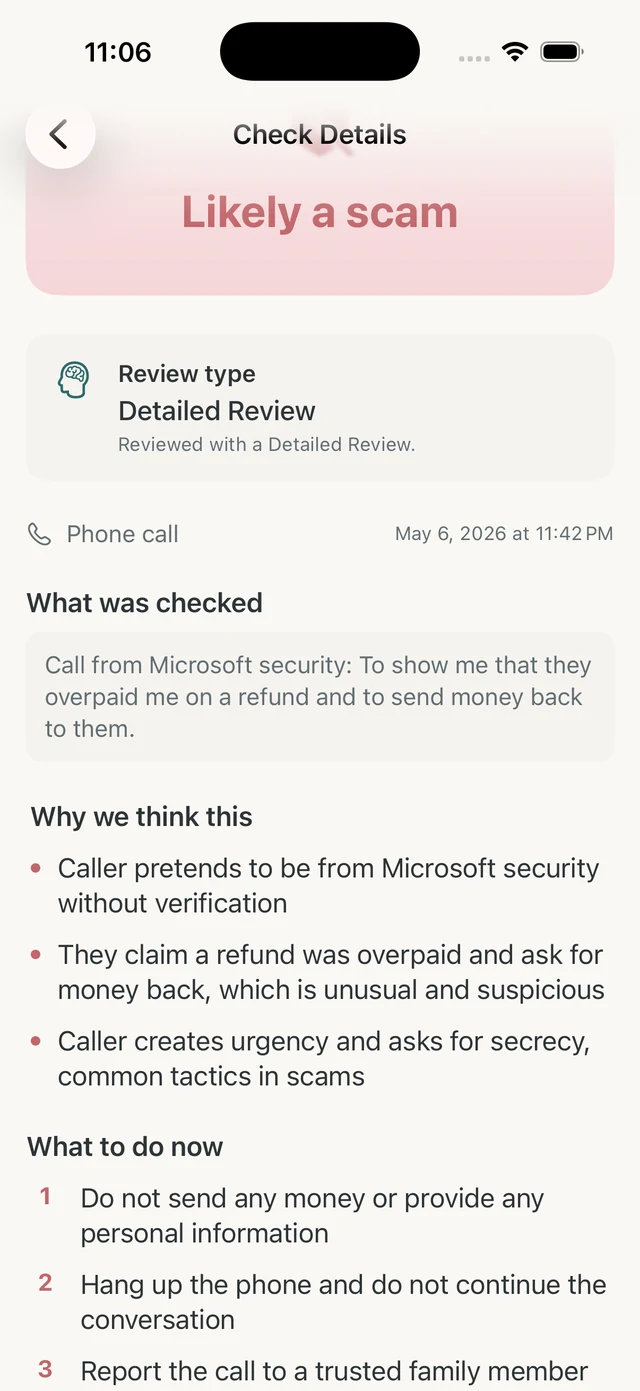
Olevo helps you review suspicious call details you type yourself. It does not record calls or prove who owns a phone number.
Use it to slow down when a caller asks for money, codes, account access, remote access, secrecy, or an urgent decision.
How it helps
Olevo does not record calls. You type the call details yourself: who they said they were, what they wanted, and the phone number if you want to include it.
It is okay if you do not remember everything. The app is built around the main details you can recall, then asks a few context questions before you choose a check type.
Call details can use a Private Check on device. You can choose Detailed Review when the situation needs a closer look.
After the result, Olevo can show Verify safely steps. For family or urgent-call situations, it may also show family safe-word guidance.
The safest verification path should not come from the caller. Use a saved contact, printed bill, card, official app, or website you type yourself.
You do not need a transcript. Write the caller's claim, the action they wanted, the payment or information they requested, and whether they told you not to verify elsewhere.
If money, codes, identity details, remote access, or threats were involved, save what you can and contact the real company, agency, bank, platform, or trusted person directly.
Caller ID can be useful context, but the caller's request is often the stronger warning sign.
Question
Number lookup
May show public reports or labels
Call-detail review
Does not identify the owner
Question
Number lookup
May still reflect spoofing or reassignment
Call-detail review
Focuses on what the caller requested
Question
Number lookup
May show reputation context
Call-detail review
Helps choose a saved official number instead
Question
Number lookup
Number data may not resolve voice claims
Call-detail review
Supports safe-word and trusted-contact routines
If a caller creates pressure, end the live call and verify through a trusted path you already had before the call.
They ask you to move money, share a code, or stay on the line while you act.
Hang up and use the official number or app.
The caller sounds like someone you know and asks for urgent help, money, or silence.
Use a family safe word or call a trusted contact separately.
The caller asks you to install software, share your screen, or pay for a fix.
Stop the call and verify from a trusted device.
No. You type the call details yourself, and Olevo reviews the information you enter.
No. Caller ID can be spoofed, so verify through a number or app you already trust.
Do not rely on the caller's number. Verify through an official number, saved contact, official app, or trusted person.
Yes. Enter who they claimed to be and what they wanted, then use the result and Verify safely steps before sending money.
No. Local-looking, toll-free, or familiar numbers can still be spoofed. Verify through a saved or official contact path.