

What you have
Typed or pasted words
Olevo path
Private Check can review supported text on device
Important limit
Remove private codes, account numbers, and full identity details first
Available now on the App Store
Olevo gives you a quiet place to review a message, call, screenshot, or letter for common warning signs before you decide what to do next.
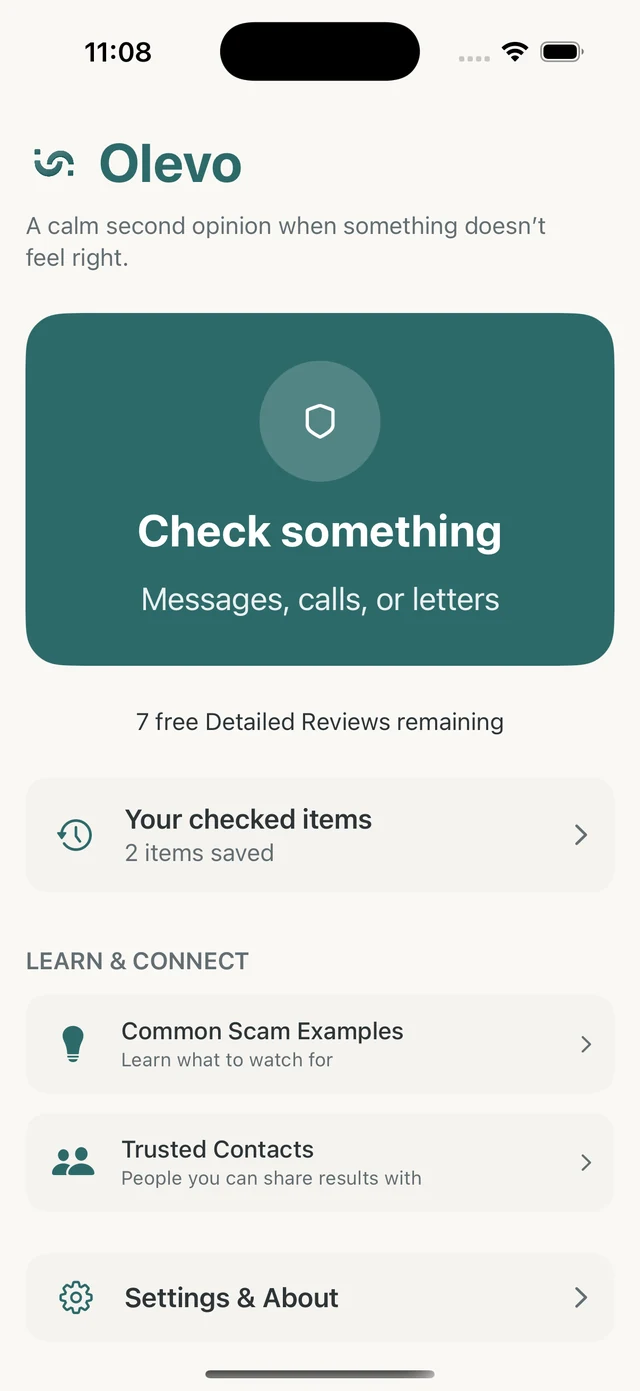
Olevo is an iPhone app for the pause before you reply, click, call back, share a code, or send money.
It reviews the message, call details, screenshot, or letter details you choose to provide, then explains warning signs and safer next steps in plain language.
Unlike a URL reputation service or caller-ID lookup, Olevo focuses on what the sender or caller asked you to do. It does not open links or identify callers.
How it helps
Start with the content you already have. Paste or type a message, choose a screenshot, take a photo of a letter or notice, or describe a call using the main details you remember.
Private Checks review pasted or typed text and described calls on device. Detailed Reviews are the path for screenshots and photos when image review is available and you choose what to send.
Start in Check something → Relationship check, give the person a name or nickname, and add a message, screenshot, photo, or call description. Return through History → Relationship checks when you hear more.
Olevo looks for romance scam warning signs across that person’s communication. Saved history and internet are required, and each new review uses one Detailed Review from your existing allowance. It does not verify identity.
Use Olevo before you reply, click, call back, send money, share a code, or enter account information. After a check, Olevo shows a result, short reasons, and practical next steps so you can verify through a trusted path.
If a link is involved, Olevo reviews the message around it. It does not open, browse, or confirm the destination website for you.
That limit is deliberate. A message can be risky even when a link looks ordinary, and a link result is not a substitute for checking the sender, the request, and the pressure in the message.
A useful second opinion should be specific enough to act on. Olevo aims to explain why something may deserve caution, what information is sensitive, and which trusted path is better than the one supplied by the message or caller.
The result is not a guarantee and does not replace your bank, a company, a government agency, or emergency help. It is a calm review step before you decide what to do next.
Use the path that matches what you have in front of you. The goal is to understand the request before taking action.
What you have
Olevo path
Private Check can review supported text on device
Important limit
Remove private codes, account numbers, and full identity details first
What you have
Olevo path
Detailed Review can review the image you choose to submit
Important limit
Only send the content you want reviewed
What you have
Olevo path
Type what the caller claimed and requested
Important limit
Olevo does not record or identify the caller
What you have
Olevo path
Review the surrounding message first
Important limit
Olevo does not open or confirm the destination website
When a message involves money, account access, identity information, or urgent pressure, verify through a trusted app, website, card, bill, or saved contact.
The message says money is at risk and asks you to reply or read a one-time code over the phone.
Review the wording, then contact the bank through the official app or number on your card.
The message claims a package cannot move until you update an address or pay a redelivery charge.
Check the retailer or carrier account directly instead of using the message link.
The caller says they are from a company, agency, or family contact and needs a decision right away.
End the live pressure and verify through a contact path you already trusted before the call.
Olevo helps you check something that feels off, see plain-language reasons, and decide what to verify before responding.
No. Use Olevo for a second opinion, then verify directly through a trusted bank, company, agency, or emergency contact when needed.
Yes. Screenshots and photos use Detailed Review after you choose to submit them.
Yes. Paste or type the message first. If copying is hard, choose a screenshot for a Detailed Review. Olevo reviews the message, not the destination website.
Remove passwords, full one-time codes, full card numbers, full account numbers, and full identity numbers. You can describe the request without sharing the secret value.