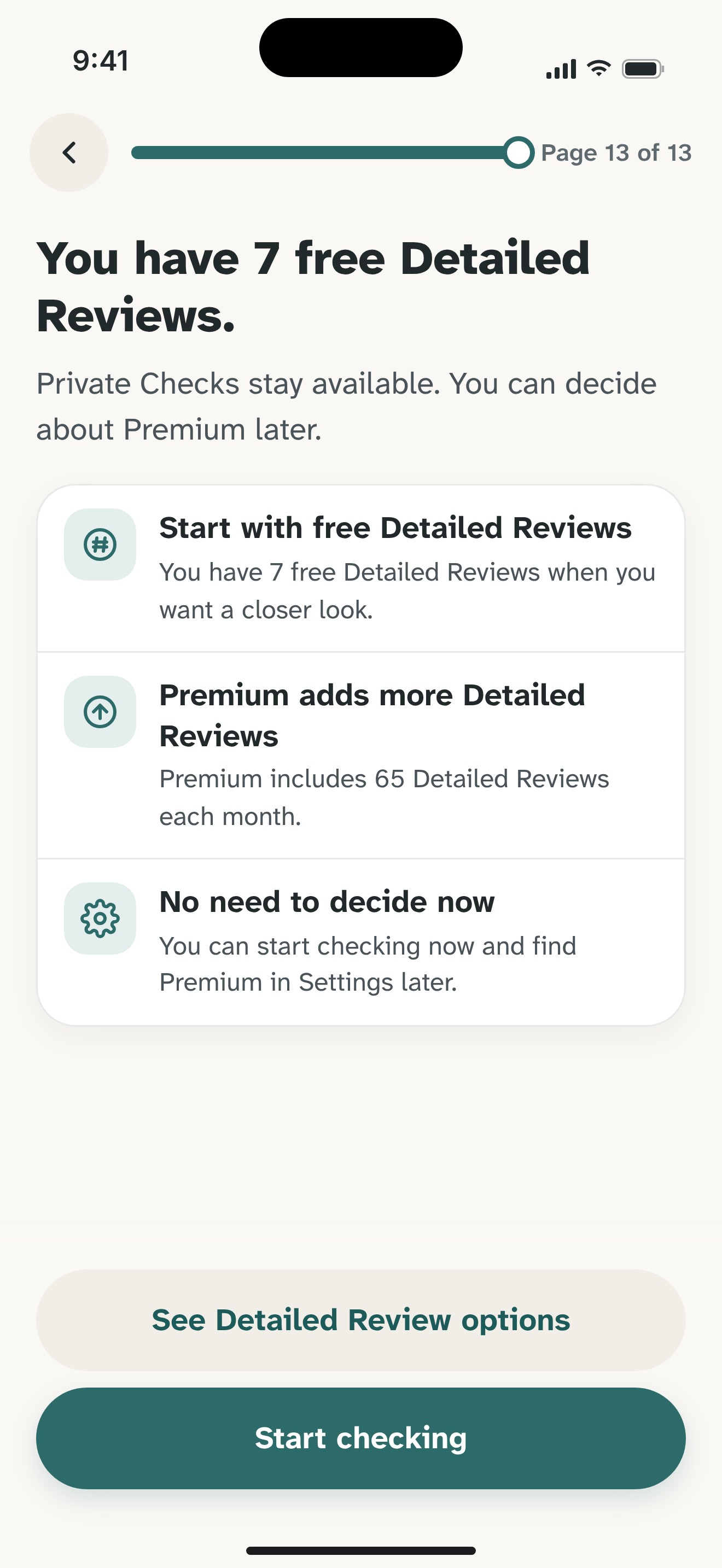
What you have
A screenshot of visible wording
Review option
Detailed Review
What to know
Chosen content goes to Olevo's backend and OpenAI after consent
Available now on the App Store
When a message is easier to show than copy, you can choose a screenshot for Olevo to review. Start with the request you want to understand, and leave private details out.
Free download on iPhone. Optional Premium.
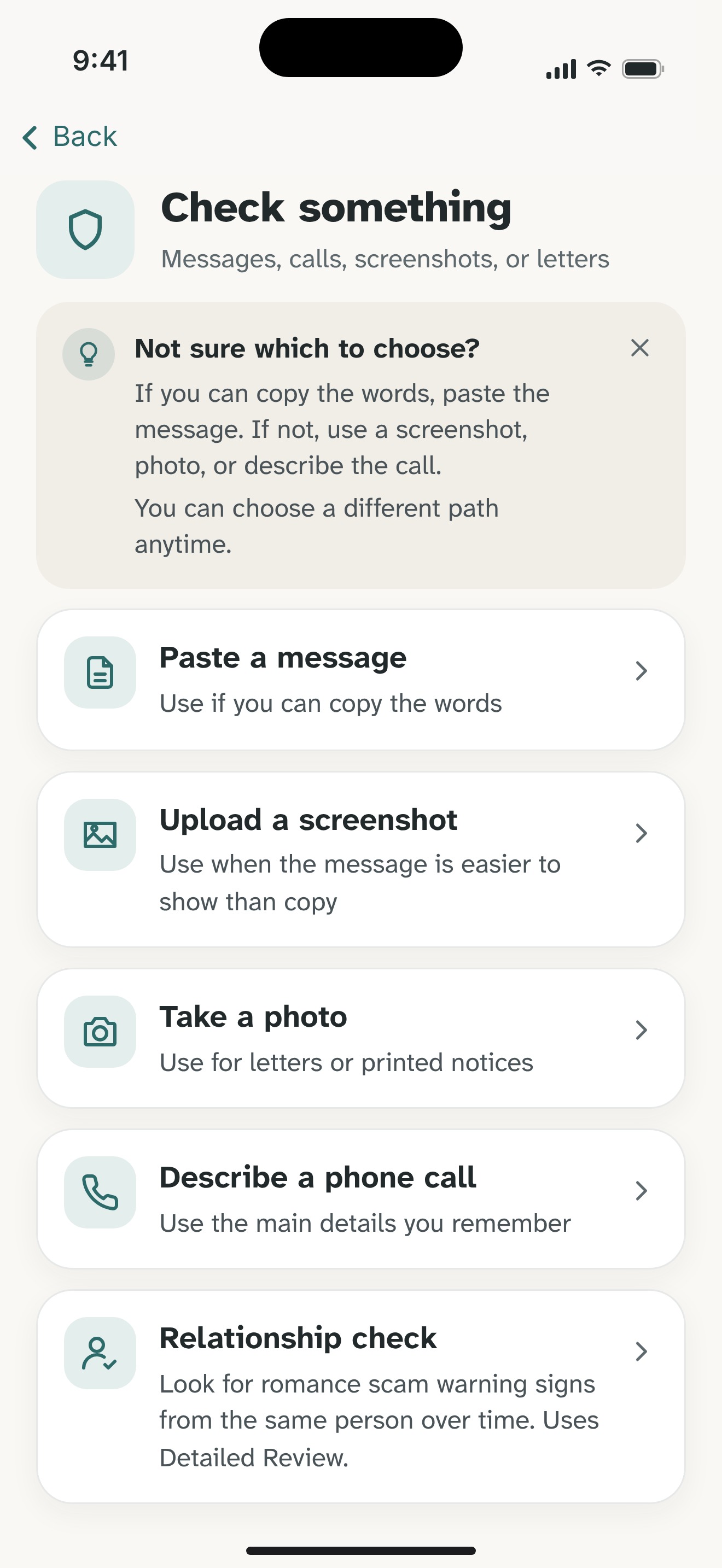
Olevo can review a screenshot of a message, email or notice that you choose on iPhone. Crop away unrelated conversations and remove passwords, whole verification codes, account numbers, payment details and identifying information before selecting it.
Screenshots use Detailed Review: after consent, chosen content is sent to Olevo's backend and OpenAI. This is separate from supported pasted-text Private Checks on device. The review explains warning signs; it does not authenticate a sender, open a link or establish that a message is safe.
By Olevo · Reviewed
Open the retailer's order record and the carrier's own tracking route independently. Do not use the message's payment link to establish whether the parcel exists.
How it helps
Include the visible claim, requested action and any deadline. A cropped request can be useful without the rest of your inbox, contacts, photos or conversation. Remove the actual code rather than just part of it.
Do not open an unexpected attachment or visit a link to collect more evidence. If the request is already visible, work from that wording. If it is not, describe what you received instead.
Choosing a screenshot uses Detailed Review with internet and consent. It sends chosen content to Olevo's backend and OpenAI for analysis. If you prefer an on-device option and the wording can be copied, use a supported pasted-text Private Check instead.
Olevo reviews what you choose to provide. It does not monitor your inbox, access a sender's account, visit a visible link or treat a branded image as proof of identity.
Read the reasons alongside the original request, then check the matter through the provider's own app, a saved contact or a website you find independently. A delivery claim belongs with the carrier; a charge belongs with the bank or card issuer.
If you already paid, shared a code or allowed device access, contact the affected provider promptly. Securing the account or payment comes before an optional screenshot review.
The input affects how the review works. You can also follow the independent checks without using an app.
What you have
Review option
Detailed Review
What to know
Chosen content goes to Olevo's backend and OpenAI after consent
What you have
Review option
Supported on-device Private Check
What to know
Remove codes and private information before pasting
What you have
Review option
The real provider's own records
What to know
A screenshot review cannot inspect the account or confirm the transaction
Yes. Choose a screenshot in Olevo on iPhone after cropping unrelated content and removing passwords, whole codes and personal or payment details. Image checks use Detailed Review after consent. The review reads what you provide; it cannot authenticate the sender, inspect your inbox or open the email's links.
A screenshot review uses Detailed Review, which sends chosen content to Olevo's backend and OpenAI after consent. It is not an on-device Private Check. If the wording can be copied and you prefer the supported on-device option, remove private details and use a pasted-text Private Check instead.
No. Olevo can explain warning signs in visible wording, but a screenshot cannot establish the sender's identity, a transaction or the safety of a linked page. Use the actual provider's app or independently found contact details to verify the account, payment or request before responding.
Feel sure before you respond.
Download Olevo on iPhone.